Mastercard Click to Pay
Mastercard Click to Pay provides a simple and secure way to pay online or in-app. When you see the Mastercard Click to Pay icon  during an online transaction, there is no need to manually enter your Mastercard details, making the checkout process safer and faster.
You can now enroll in Mastercard Click to Pay service through Mobile Banking or Internet Banking and agree to add your Chong Hing Mastercard to Mastercard Click to Pay for online transactions.
How to enroll in Mastercard Click to Pay service and add your Chong Hing Mastercard to Mastercard Click to Pay?
 |
 |
|
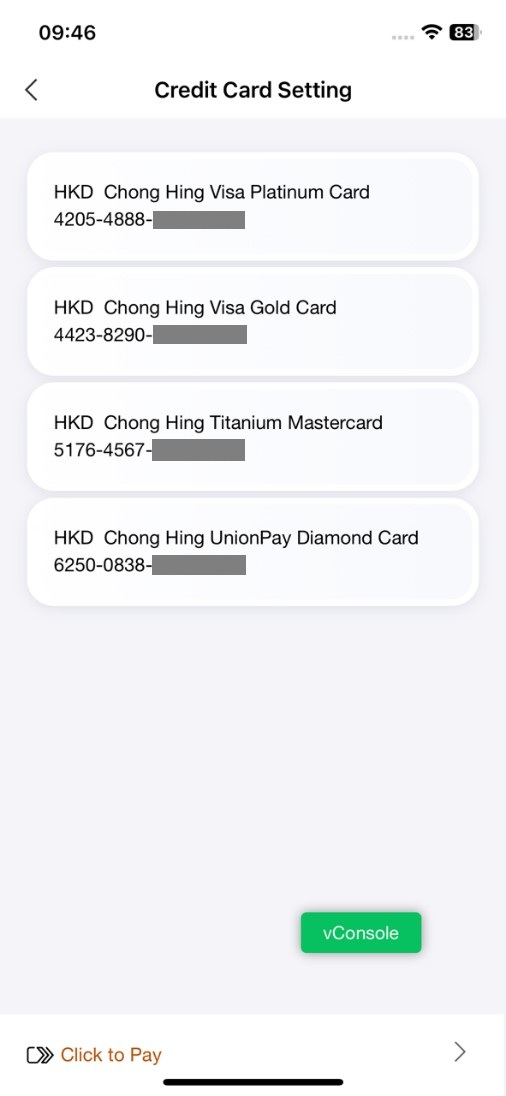
Step 1: After logging into Mobile Banking, click the "All" icon select "Credit Card Setting" select "Click to Pay". |
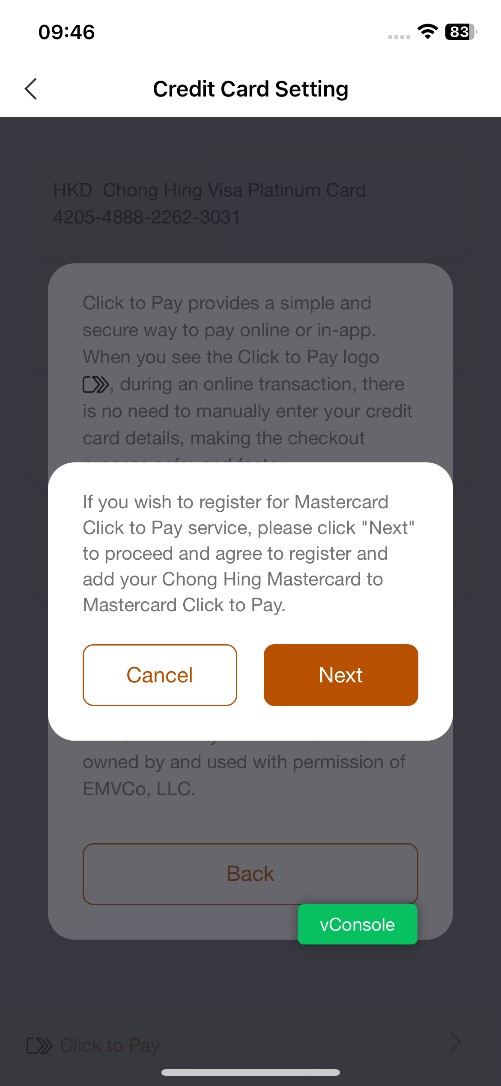
Step 2: If you want to enroll in Mastercard Click to Pay service, please click "Next" to proceed and agree to add your Chong Hing Mastercard to Mastercard Click to Pay. |
 |
 |
|
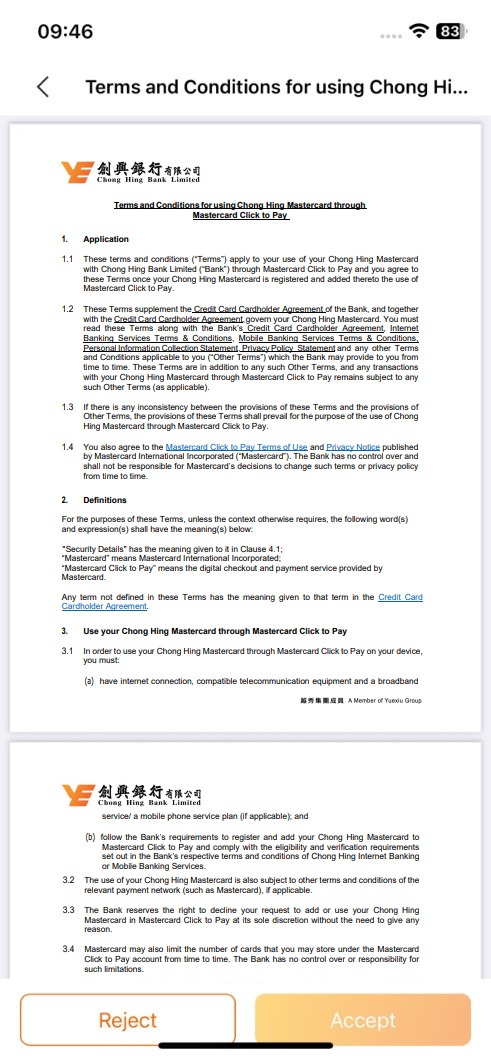
Step 3: Browse the Terms and Conditions of Mastercard Click to Pay service, scroll to the bottom of the terms and conditions, and click "I have read and agreed" to confirm the relevant content. |
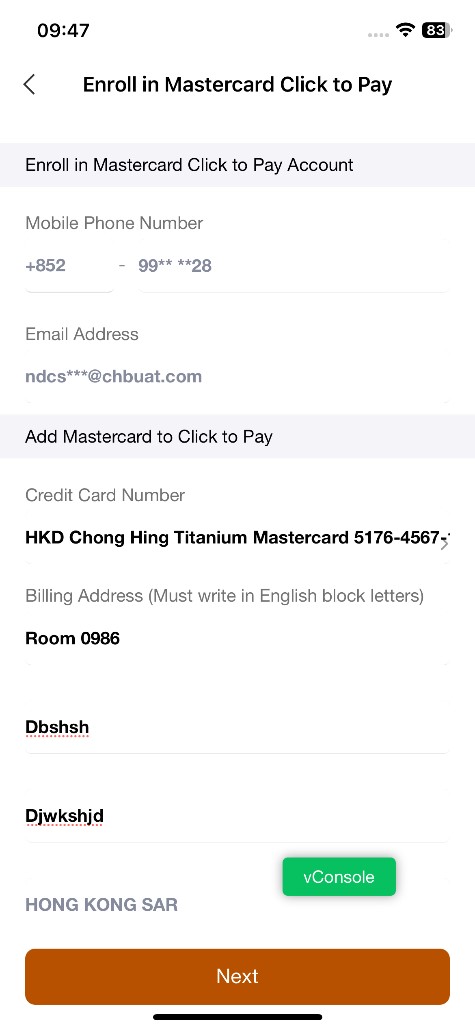
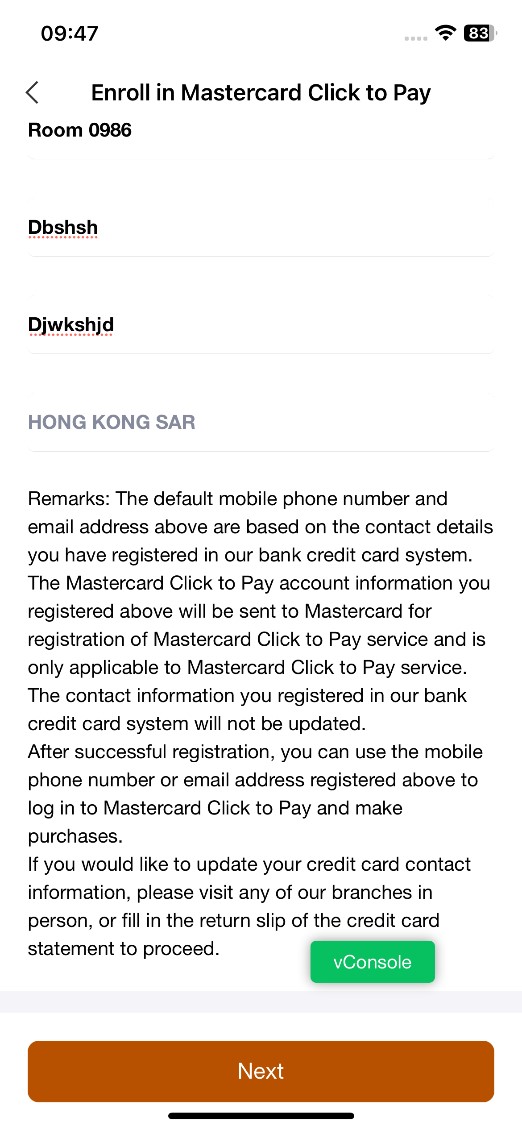
Step 4: The system has automatically filled in the mobile phone number and email address you registered with our credit card system. To enrol in Mastercard Click to Pay, please enter your billing address in English block letters. You will need to enter your mobile phone number or email address for future transactions to receive a one-time password.If necessary, you can change the default email address yourself*. |
 |
 |
|
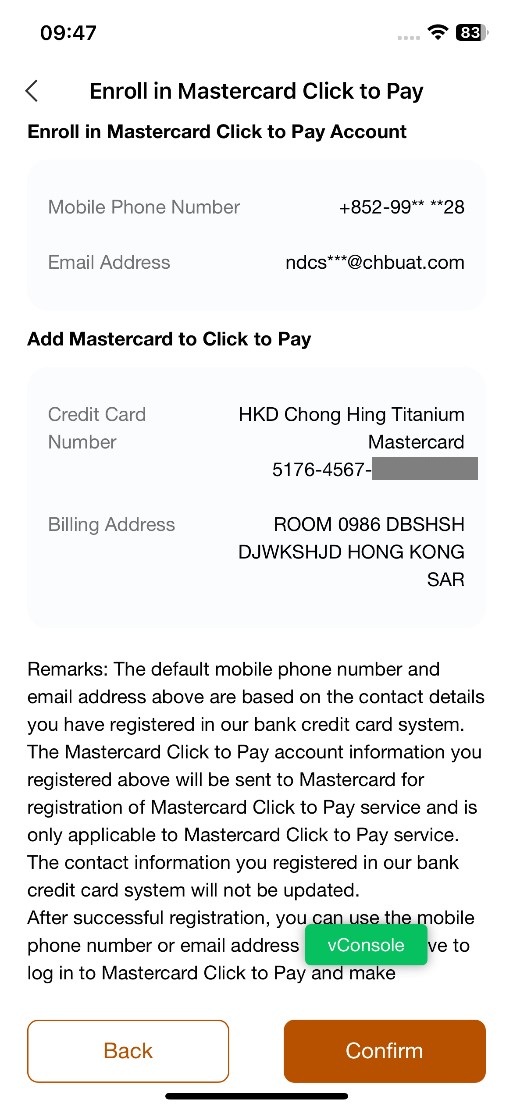
Step 5: Preview your mobile phone number, email address, Chong Hing Mastercard number and billing address, then click "Next". |
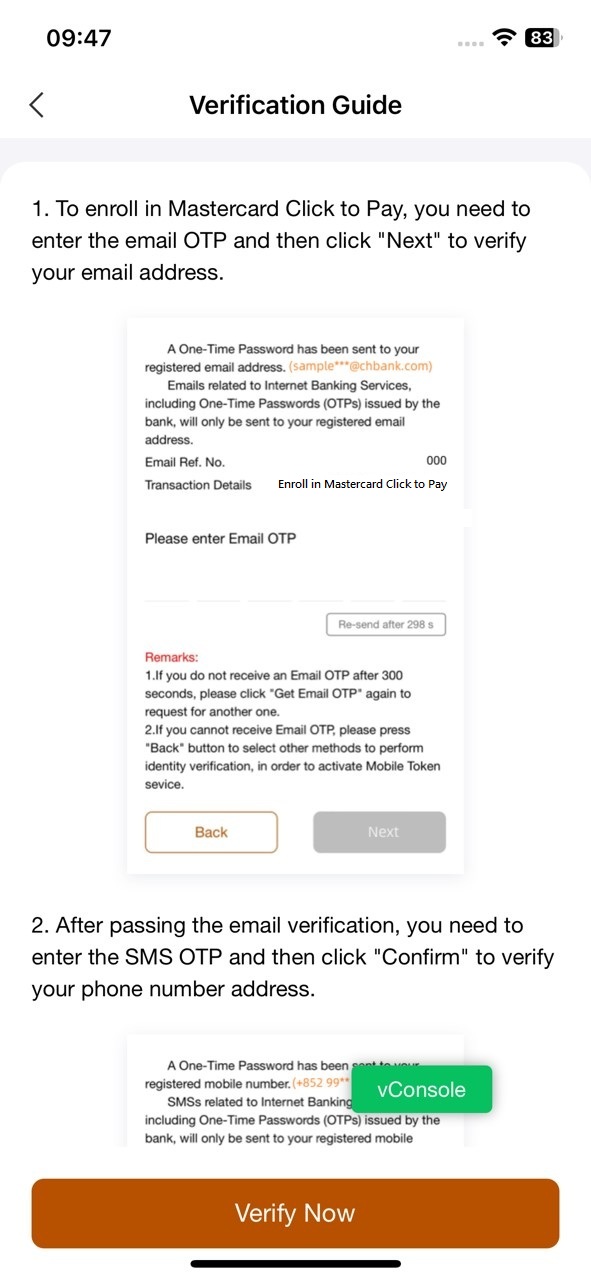
Step 6: Browse the verification instructions and click "Enroll and add card to Mastercard Click to Pay" . |
 |
 |
|
Step 7: Browse the verification instructions and click "Enroll and add card to Mastercard Click to Pay" . |
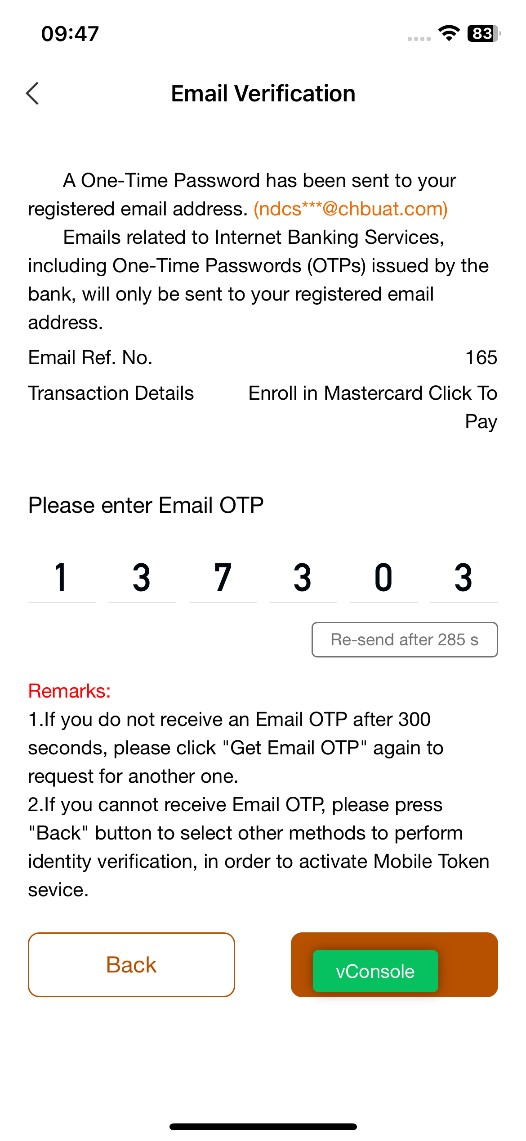
Step 8: The system will send you an one-time email password. Enter your one-time SMS password and click “Next" . |
|
|
|
|
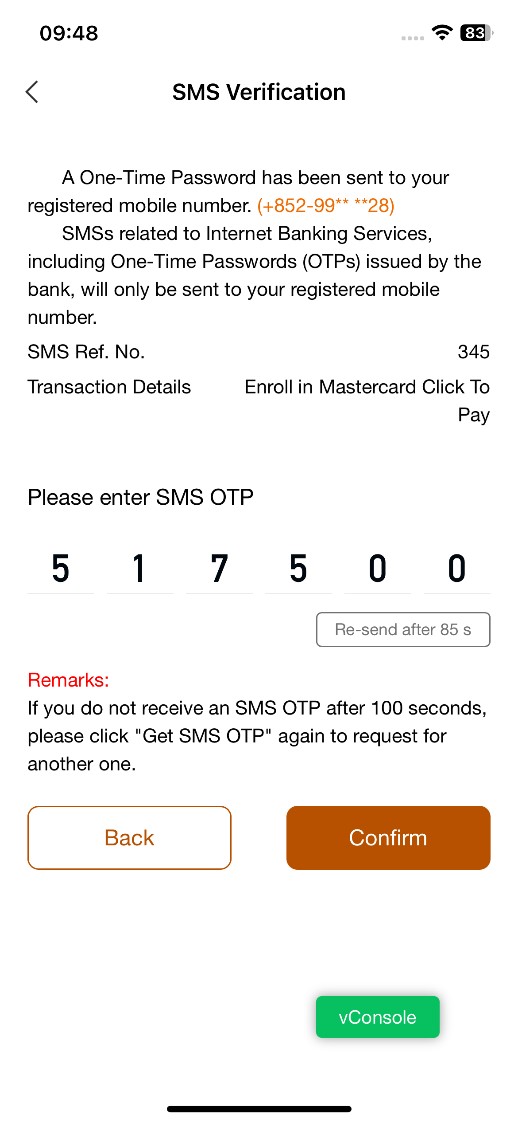
Step 9: The system will send you an one-time SMS password. Enter the one-time SMS password and click “Confirm" . |
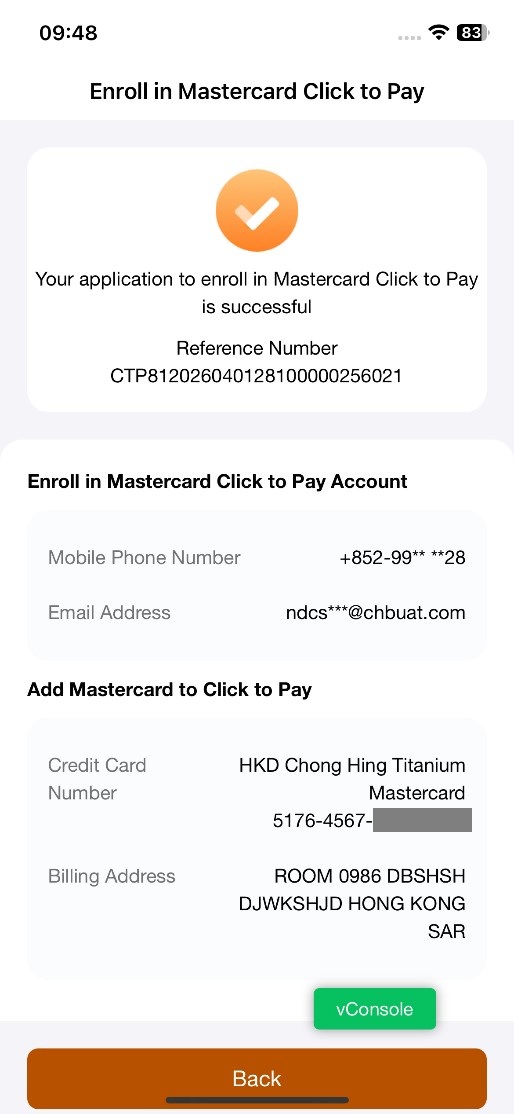
Step 10: After successful verification, a confirmation page will pop up. You will receive an email confirmation after success. |
*The default mobile phone number and email address are based on the contact details you have registered in our bank credit card system. The Mastercard Click to Pay account information you registered (i.e. mobile phone number, email address and billing address etc) will be sent to Mastercard for registration of Mastercard Click to Pay service and is only applicable to Mastercard Click to Pay service. The contact information you registered in our bank credit card system will not be updated. After successful registration, you can use the mobile phone number or email address registered to log in to Mastercard Click to Pay and make purchases. If you would like to update your credit card contact information, please visit any of our branches in person to proceed.
To borrow or not to borrow? Borrow only if you can repay!
Please refer to the link below for the terms and conditions of the above service. Please note that the information will only be available for access and download through below channels, and no paper-based format can be provided by the Bank. Please save a copy of the relevant information for future reference when needed.
The Click to Pay icon is a trademark owned by and used with permission of EMVCo, LLC.
Relation information:
Terms and Conditions for using Chong Hing Mastercard through Mastercard Click to Pay