
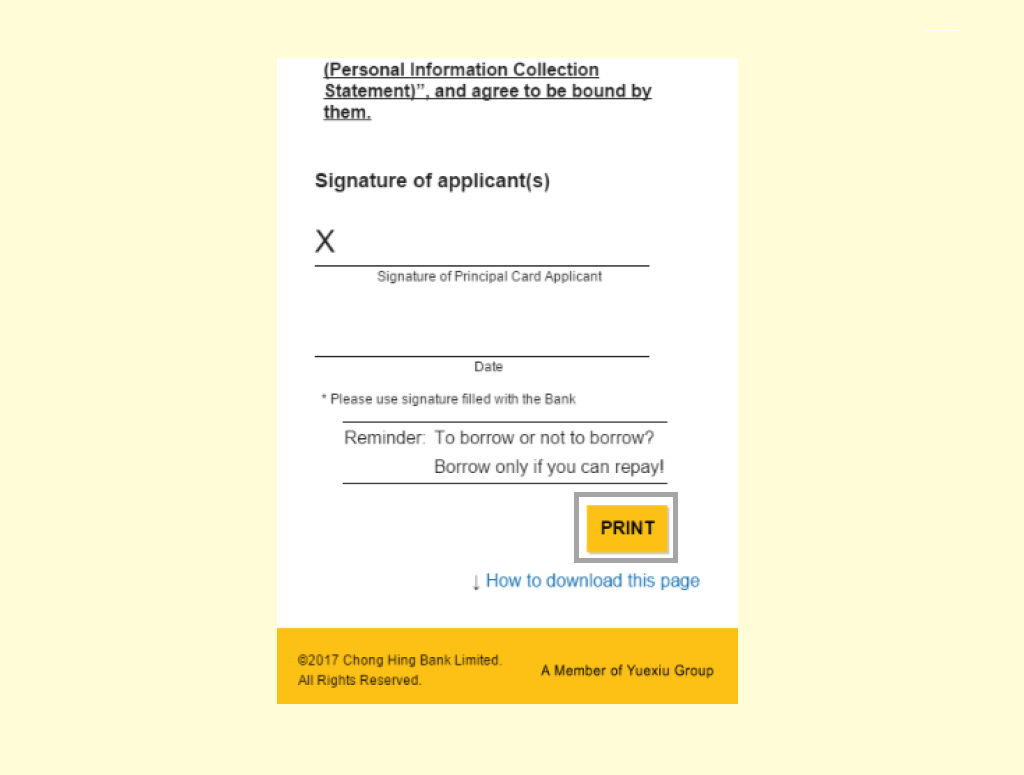
Step 1: Press "PRINT"
• Press the "PRINT" button at the bottom of the acknowledgement.
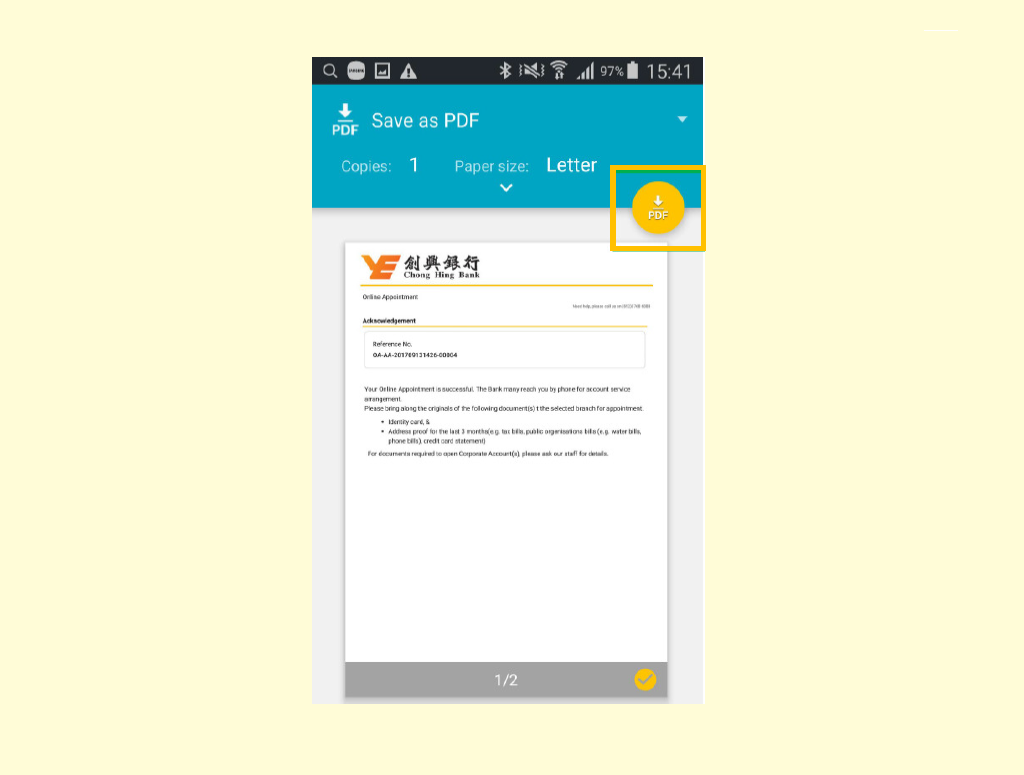
Step 2: Change Printer
• Pop up "Print setting" window;
• Press " ".
".
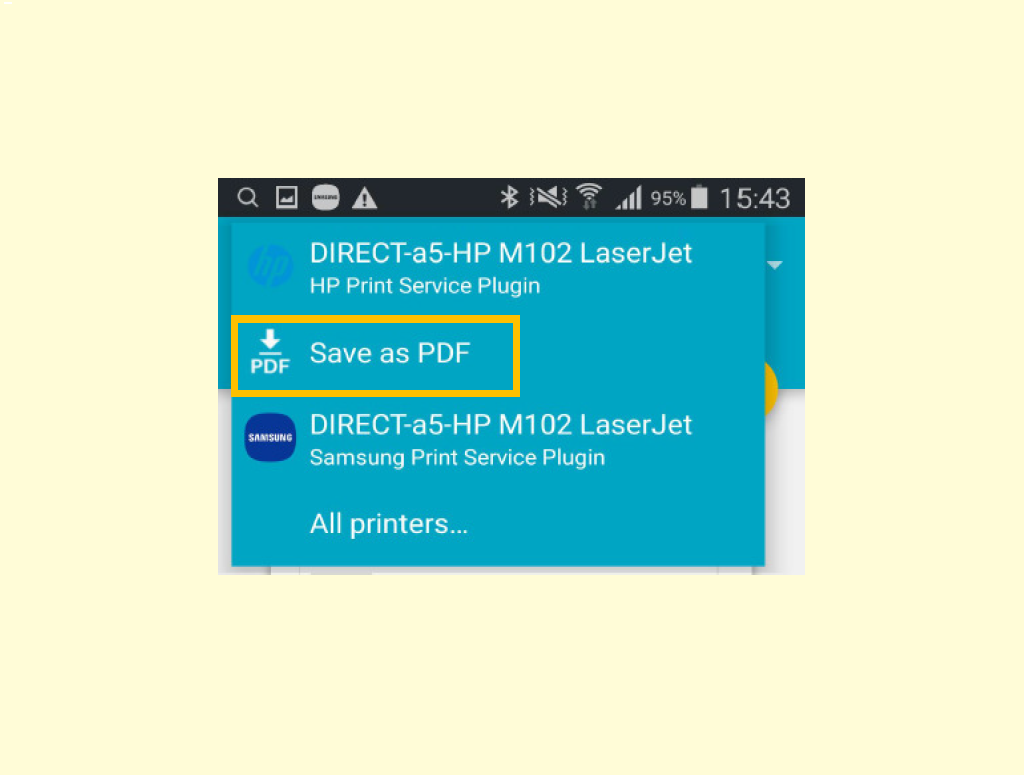
Step 3: Save PDF
• Pop up "Printer options";
• Press "Save as PDF" (Name may not be the same as shown in image but most likely contains "PDF").
